

Note Types & Priorities
Types and priorities for every note module live in one place: Settings → Notes. Changes here affect everyone working on the production.
Pick a module
At the top of the Notes section, choose the module you want to edit: Cue, Work, Electrician or Production. Each has its own colored dot. Only modules that are switched on for the production appear here. An admin can turn modules on under Modules.
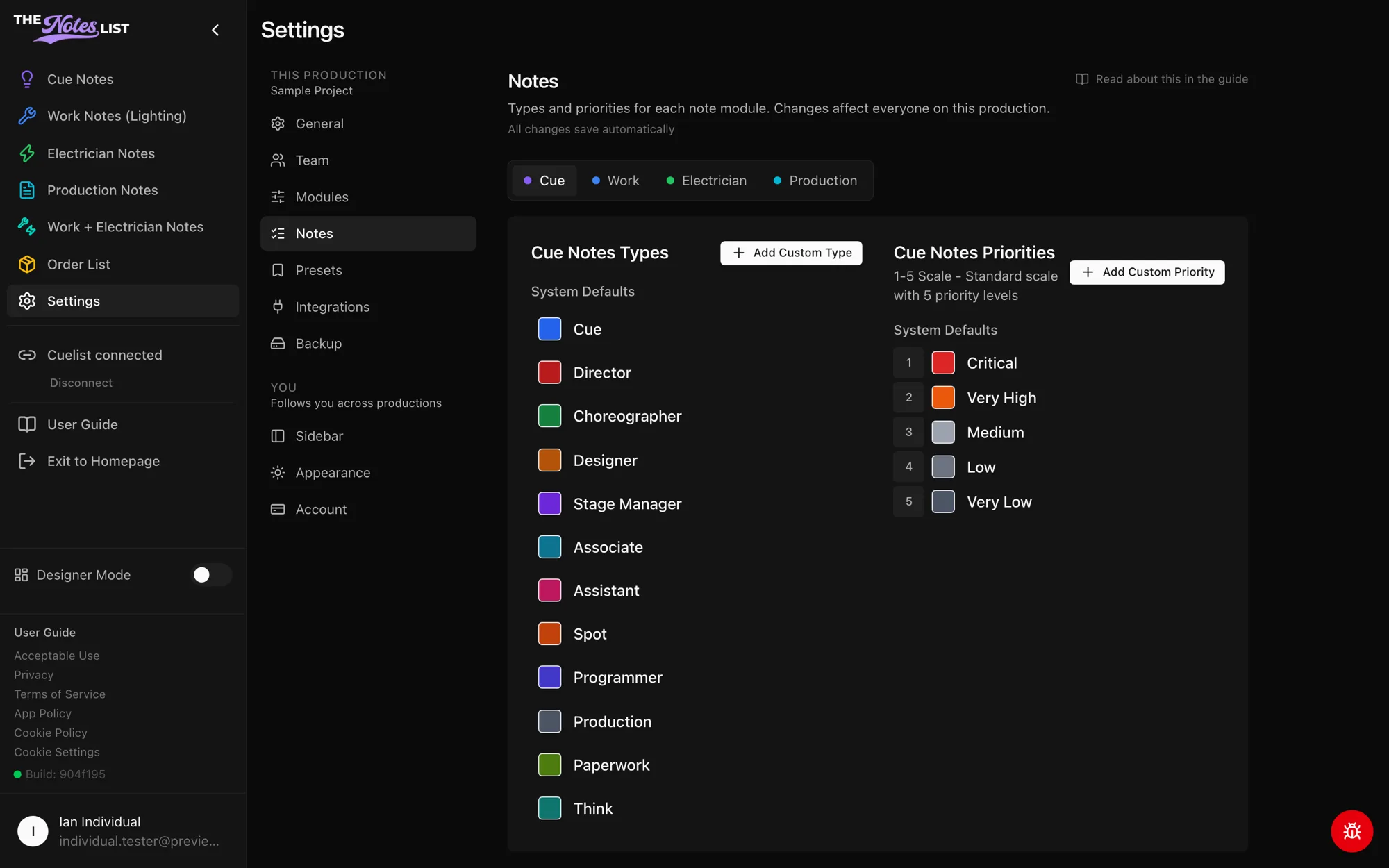
Types
Types are the categories that appear in the Quick Adds for that module, such as Director, Designer or Spot for Cue Notes.
- System defaults can be edited (new name or color), hidden if your show doesn't use them, and reset to their original name and color at any time.
- Add Custom Type creates a type of your own. Custom types can be edited or deleted.
Priorities
Priorities rank how urgent a note is. Cue Notes and Production Notes use a 5-level scale (Critical, Very High, Medium, Low, Very Low).
- Rename or recolor any priority to match how your team talks.
- Add Custom Priority creates a new level. Custom priorities can be reordered or deleted.
Module-specific notes: Work & Electrician Notes · Production Notes